DADERA
AICB · MCP server

AICB for coding agents.

An MCP server that answers your agent the questions a text search cannot. The same analysis is also available as a single console command.

Tested with Claude Code, Codex and OpenCode

Send an enquiryBack to the overviewGitHub Releases ↗
Semantic questions

What an agent can ask

AICB answers each of these from the symbol graph Roslyn builds when it loads the solution – not from a text search.

Callers and impact

Who uses this symbol, directly and across several levels. The most important question before a change.

Inheritance and implementation

Where an interface is implemented, what overrides what, and how the type hierarchy looks.

Tests

Which tests cover a symbol – and where coverage is missing entirely.

Dependency injection

What is supplied for an interface, and at which points a type is instantiated.

Structure and legacy

Dead code, namespace cycles, side effects such as file or network access, calls into third-party libraries.

Interface bindings

Which XAML binding reaches which property – and which one cannot be resolved at all. For WPF, WinUI and Avalonia.

Reviewing changes

A review in one call: what changed, how far it reaches, which new findings it introduces – with a verdict. Plus changes to the public API.

Architecture and paths

Which layer may use what, where dependency cycles are, and through which call chain one method reaches another.

Context for a task

For a task described in words, the affected types, their callers and the covering tests – as a bundle within a token budget.

On top of these come an architecture overview of the whole solution and an explanation of a single symbol together with its surroundings.

AI tags from the source are available to the agent as well: it can search by tagged roles and layers and sees which value came from the developer and which is only an estimate.

The server

A command, not a service

The command aicb mcp starts a server that speaks over standard input and output. An agent that handles MCP gets the analysis tools in its own tool list.

  • 54 tools in the default set – 24 always visible, 30 through the active profile
  • Nine task profiles – exploration, refactoring, debugging, review, testing, documentation, architecture, performance, general
  • Ready-made profiles – default, refactoring and debugging, each with a matching tool selection, plus the full set
  • You decide what is visible – which tool an agent is offered at all is set by the profile
  • Tested with Claude Code, Codex and OpenCode – three clients with three different protocol revisions, served by one binary
  • No background process – the server is a command-line verb and ends with its client

Why the selection matters at all: every tool on offer takes room in the agent's context window and raises the chance of it reaching for the wrong one. A profile for debugging shows different tools than one for a refactoring.

What the server tells the agent

Alongside the tools, the server hands over a guidance text: when which tool is the right one, when a plain text search still does the job, and which question belongs first before a change. That text is editable and belongs to the profile.

Setup

One command in the project folder

After that the agent finds AICB by itself. Existing files are left alone, so running it again does no harm.

aicb init
  • .mcp.json – the entry a client uses to start the server
  • An agent skill – it teaches the agent when to reach for which tool
  • A rule for the agent environment – it refuses a text search for a C# symbol and points at the proper tool
  • A report – the command says per file what it did and what it left out
  • A review pair on request – two further skills check a change for defects and for unnecessary complexity, backed by AICB facts rather than the diff alone (aicb init --skills=all)

The third point changes how your agent behaves – which is why it is here and not in the small print. The rule is not a hint, it blocks. That is exactly what makes the tools get used rather than grepped past. With aicb init --hooks none it stays out.

By hand works too

If you would rather not have anything installed for you, write the entry yourself:

{
  "mcpServers": {
    "aicb": { "command": "aicb", "args": ["mcp"] }
  }
}
Method

The question before the change

The most valuable call is the first one. Before an agent touches a symbol other code names, it asks how far that symbol reaches.

  • Reach, not a hit list – not only the direct callers but theirs as well
  • What the compiler does not see – an assertion on a count, a non-exhaustive switch, a registration list
  • Covering tests alongside – the question "does anything pin this at all?" belongs next to it
  • After the change – Roslyn diagnostics without a full build, as a fast pre-check
  • No stale state – if source files change after the analysis, every answer says so; one call refreshes the analysis

The caveat, so the answer is not overread: a high reach measures how many places know the type – not how risky your particular change is. An added default value reaches many places and breaks none of them.

The agent skill from aicb init writes exactly this order down. It uses only standard fields and therefore works in any environment that loads skills – it is placed automatically for Claude Code only; for others you copy the folder yourself.

Traceability

What the server records

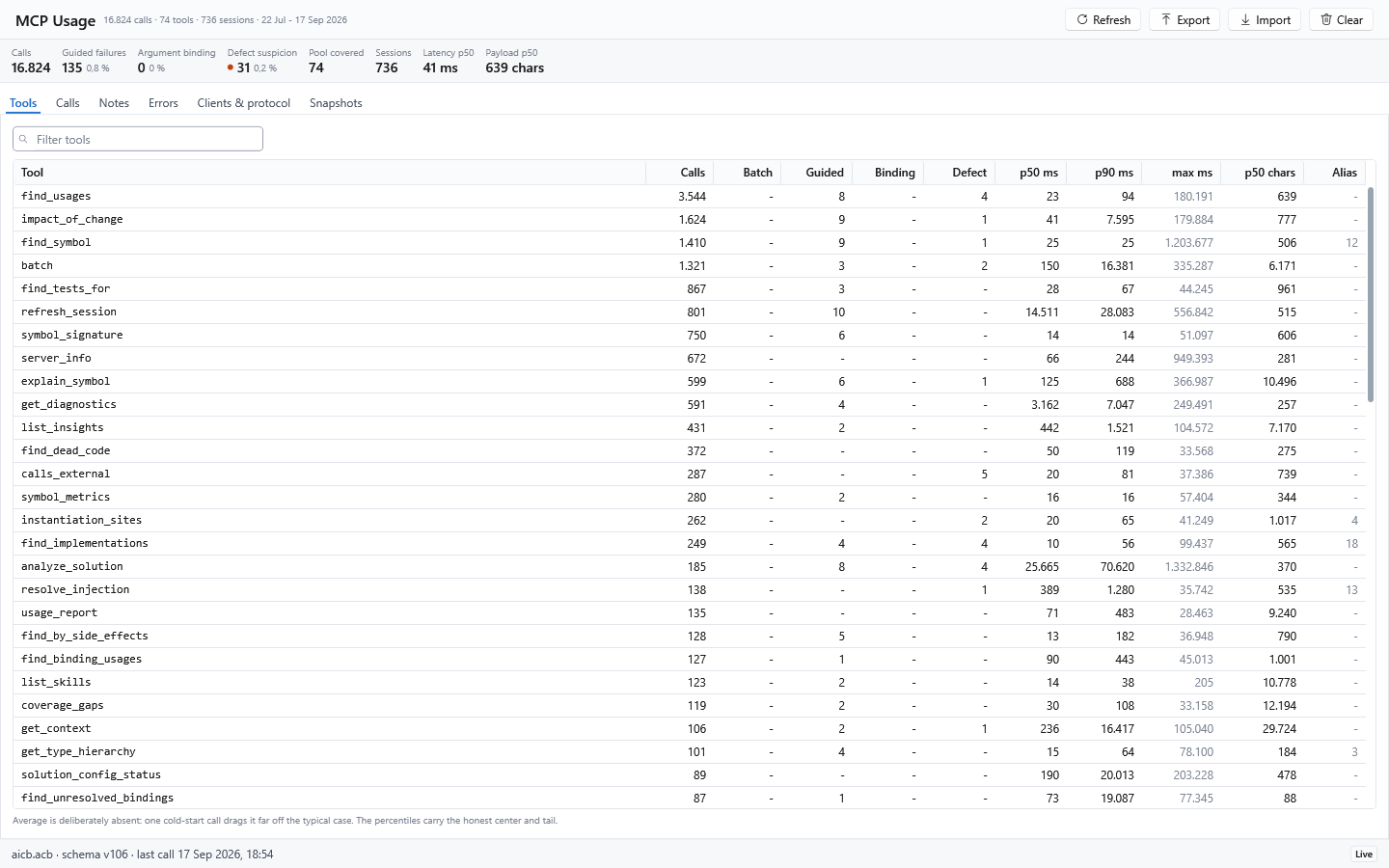
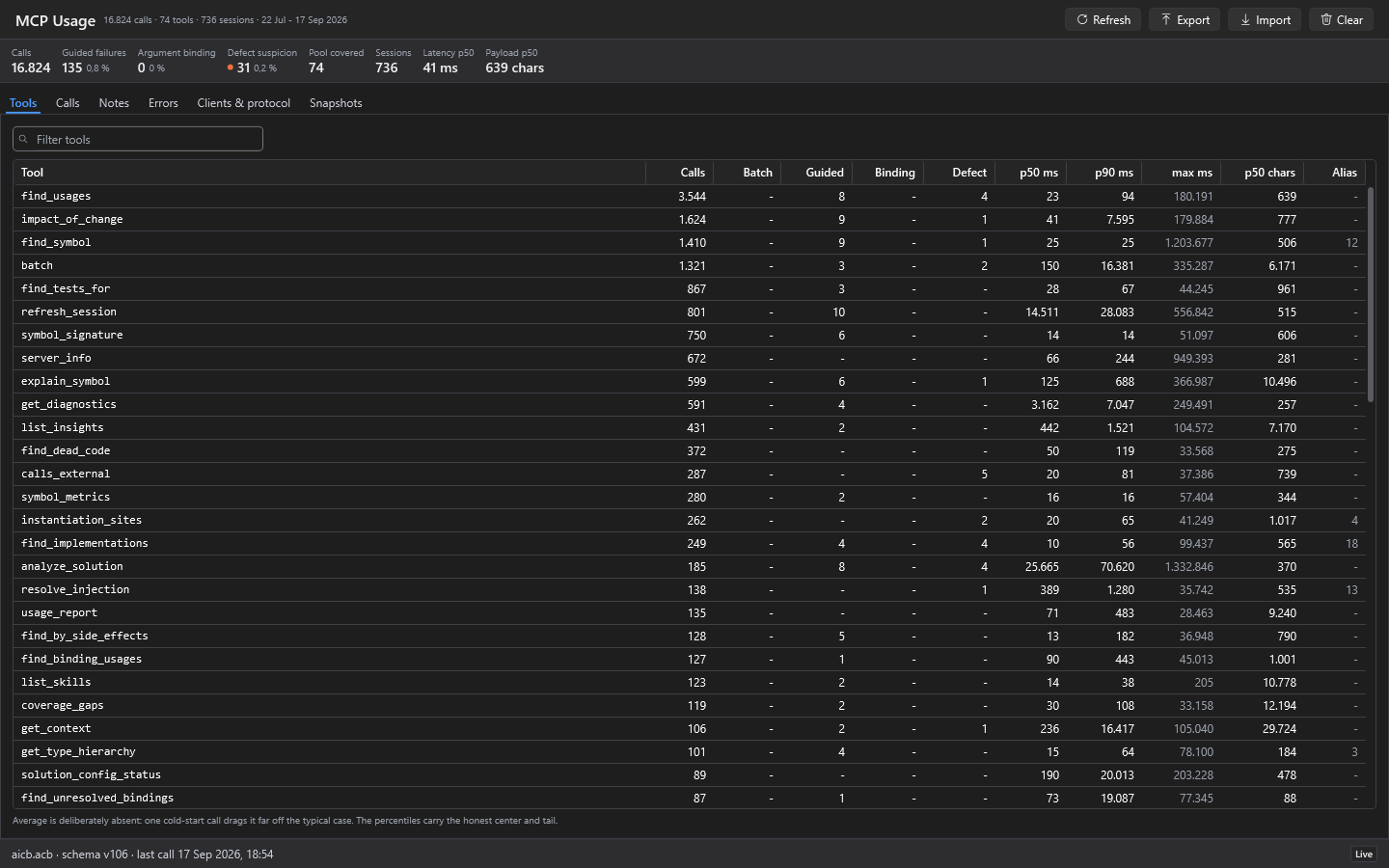
Every tool call is written down locally. The MCP Usage view in the desktop application shows it – and answers the question of what an agent actually used.

  • Per tool – call count, latency percentiles, response size, share of all calls
  • Per call – time, tool, client, outcome, error message, plus notes of your own
  • Failures counted separately – a call refused on purpose is not a defect suspicion and does not share its column
  • Per client – which agent connected, with which protocol revision

The split in the Errors tab is where a record differs from a statistic: an expired session or an empty database is a correct refusal, not a fault. Separate from those stand the exceptions that suggest a real defect – together with the version in which they last occurred.

This record sits in a local database and never leaves your machine. You can clear it completely at any time.

Command line

One question, one answer

The same analysis without an agent and without a running server. Useful for a quick question in passing, and for scripts.

aicb call find_usages --sln C:/repo/App.sln --arg symbol=OrderService

The seven verbs

  • init – wire AICB into a project
  • analyze – analyse a solution, produce context Markdown
  • export – re-render Markdown from an existing session
  • import – take over a stored configuration
  • list – list templates and profiles
  • mcp – start the MCP server
  • call – invoke a single tool and print the answer

What makes call special

  • No server, no client – the command starts, answers and ends
  • Every tool reachable – including those no profile offers
  • Cross-platform – the command line is not tied to Windows
  • Machine-readable – the output can be processed further

Also on the command line: the per-solution configuration as a file next to the .sln – namespace exclusions, test detection, layer mapping. It lives in the repository and therefore applies to everyone working on it.

Stated plainly

What the MCP server does not do

Five points worth knowing before the first attempt. Two are prerequisites, three are deliberate limits.

  • MSBuild is required – a .NET SDK or Visual Studio has to be installed
  • Open trusted projects only – loading runs the solution's build logic, exactly as Visual Studio does
  • No HTTP access – the server speaks over stdio only, there is no remote access
  • No replacement for the IDE – AICB reads the state on disk, not your unsaved editor buffer
  • It does not change your source – every analysis tool only reads; whatever a tool writes says so in its own description

The last point is deliberate, not a missing feature: a server that changes the tree it analyses makes its own answers unreliable. Edits stay with you and your editor.

Do you work with a coding agent?

Questions about setup or using it in your team? Tell me briefly which agent you work with.

Send an enquiryTo the desktop application